
01
Calculate an expression
Copy an expression and get its result.
What you copied
1,250 × 10%
Result
125
Arithmetic, parentheses, powers, square roots and percentages.
Unit conversions and code execution are not supported. Exponents have limits.
12 categories. All free.
Choose a useful conversion for the content you copied.
Explore the inputs, results and limits below.
Only conversions that apply to the input are shown.
Calculations, currencies, digit grouping, colors and time zones
01
Copy an expression and get its result.
What you copied
1,250 × 10%
Result
125
Arithmetic, parentheses, powers, square roots and percentages.
Unit conversions and code execution are not supported. Exponents have limits.
02
Convert amounts between USD, JPY and EUR.
What you copied
100 USD
Result
Amounts in JPY / EUR Calculated from the fetched reference rates
USD, JPY and EUR only. CopyChew calculates conversions from ECB public reference rates and shows the reference date.
Fetching rates requires an internet connection. Values are indicative and exclude transaction fees and buy/sell spreads.
03
Make a number easier to read with commas.
What you copied
1234567.500
Result
1,234,567.500
Adds grouping while preserving the sign, trailing decimal zeros and integer digits.
Numbers with leading zeros, phone numbers and values inside prose or table cells are not converted.
04
The same color, in the format you need.
What you copied
#F29A4A
Result
rgb(242 154 74)
Convert between HEX, RGB, HSL, Lab (D50) and OKLCH (D65), preserving alpha.
Out-of-gamut results are omitted. CSS color names, variables and calc() are not supported.
05
Convert a copied time to another region.
What you copied
2026-10-30 21:30 Asia/Tokyo
Result
2026-10-30 08:30 New York / UTC−04:00
Your Mac’s time zone, New York, Los Angeles, London, Paris and Singapore.
Location services are not used. Ambiguous times are not silently resolved.
06
Keep the text and leave the formatting behind.
What you copied
An important update
Result
An important update
Extract plain text from formatted text. The original content, formatting and history are preserved.
This does not rewrite the text or normalize its whitespace and line breaks.
07
Change the format while retaining supported structure.
What you copied
<strong>Hello</strong>
Result
**Hello**
HTML ↔ Markdown, including supported headings, lists, links, code and tables.
Visual styling is not reproduced exactly. Link and image destinations are not fetched.
08
Put a table in the format your next app needs.
What you copied
name,role Aki,Design
Result
| name | role | | --- | --- | | Aki | Design |
Convert between CSV, TSV and Markdown tables, preserving leading zeros, empty cells and number text.
Copies the whole table. This is not image-to-table extraction or Excel-file importing.
Text / QR recognition, links, image formats and QR generation
09
Use the information inside an image as text.
What you copied
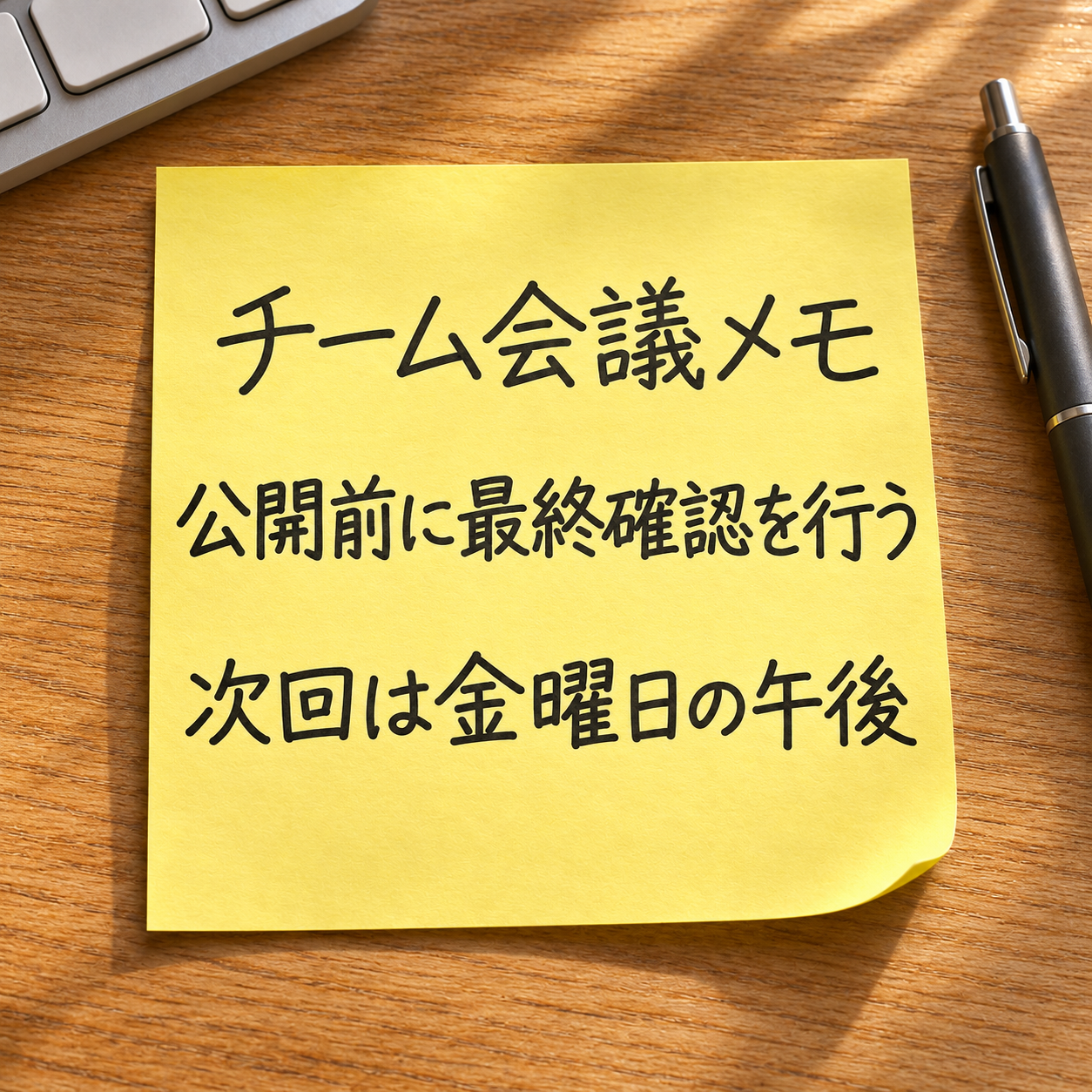
Example image with Japanese text
Result
チーム会議メモ 公開前に最終確認を行う 次回は金曜日の午後
Uses on-device macOS image recognition to extract Japanese and English text, or the contents of a single QR code.
Multiple QR codes and 1D barcodes are not supported. Check recognized text against the original image.
The sample photograph contains Japanese text.
10
Get the links and contact addresses from text.
What you copied
See the document: https://example.com/a?x=1#part
Result
https://example.com/a?x=1#part
URLs and email addresses are separate results. Multiple matches appear in source order, one per line.
Links are not opened, and URL parameters are not changed.
11
The same image in a different file format.
What you copied
HEIC
Result
JPEG / PNG
JPEG ↔ PNG and HEIC → JPEG / PNG. Copy results as images; the original is preserved.
JPEG is lossy and uses white for transparent areas. HEIC output and TIFF / WebP conversion are not supported.
The sample photograph contains Japanese text.
12
Turn the original copied text into a QR image.
What you copied
https://copychew.secondloopapps.com
Result

Encodes the original copied text, including URLs, line breaks, Japanese and emoji.
Text that does not fit is not truncated. OCR text and other conversion results are not automatically encoded.
Available results depend on the input and its format. Examples are for demonstration. Check text recognition, time-zone assumptions and exchange-rate results before use. Automatic pasting requires Accessibility permission.